
VideoCast Studio
Live Video Production & Streaming
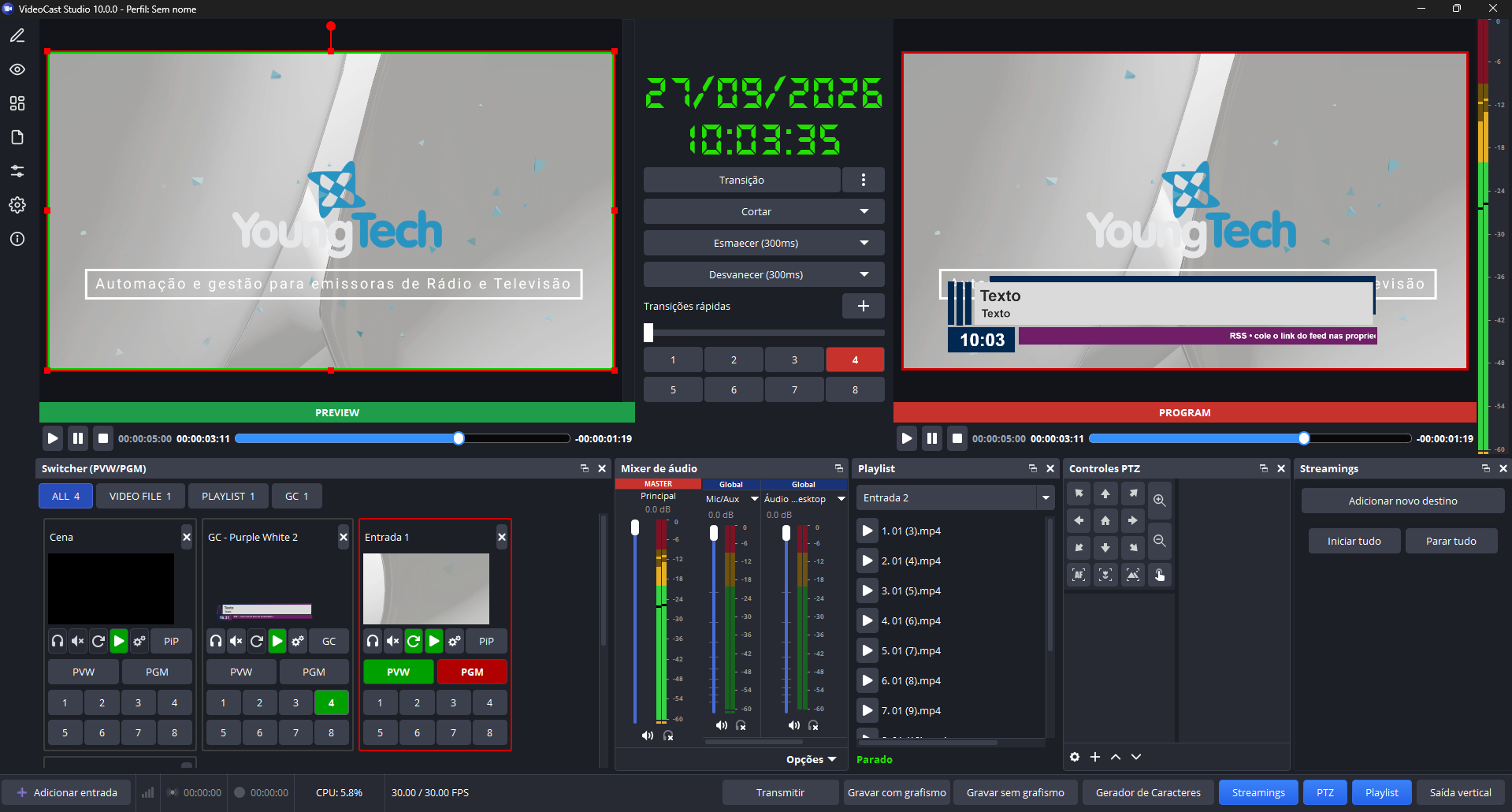
A complete live-video production and streaming software. It brings together a switcher with preview/program, a character generator (CG) with an animation timeline, an audio mixer with a MASTER bus, multi-destination streaming, standard recording plus Clean Recording (overlay-free), NDI®/OMT network output, virtual camera and vertical output for Instagram.
- Multiview switcher with 8 overlay channels
- AI-powered auto-cut
- NDI®/OMT output and PGM for Instagram
Everything VideoCast Studio offers
Multiview Switcher
Multiple simultaneous video and image sources, with live or preview output monitoring.
Audio MASTER Bus
Individual volume control on inputs and outputs, with a full mixer.
Character Generator (CG)
Add logos, images and text to your live stream, with an animation timeline.
Multi-Destination Streaming
YouTube, Twitch or custom RTMP, with per-target configurable encoder and bitrate.
Layers & Picture-in-Picture
Chroma key and framing of multiple video sources in the same broadcast.
AI Auto-Cut
Switches the program to whoever's speaking using computer vision, without relying on audio.
Why Choose VideoCast Studio?
- Stream your programming or events to social media
- Record your broadcast to file or for later playback, with Clean Recording running in parallel
- Camera rotation on a preset timer and broadcast scheduling
- NDI® and OMT network outputs distribute program and MASTER audio across the entire local network
- Can be integrated with third-party software and equipment
Streaming & Recording
| Streaming | Simultaneous to multiple destinations (YouTube, Twitch, custom RTMP) |
| Standard recording | TS, MP4, MXF, MKV or MOV |
| Clean Recording | A second, overlay-free recording of the program on its own output path |
| Network | NDI® and OMT outputs across the entire local network |
| Automation | AI auto-cut via computer vision |
See the VideoCast Studio interface
Want to see VideoCast Studio up close?
Fill out the form and a YoungTech specialist will contact you to schedule a demo.
Talk to a specialist
Want a closer look at VideoCast Studio? Talk to a specialist.
Need a solution?
For over 25 years we've delivered automation and management software for broadcasters in Brazil and abroad.